

Picture Dan. He runs a mobile dog grooming van out of Morpeth, and one wet Sunday in March he decided he was done paying someone to update his old website. He opened an AI website builder, typed “build me a website for my dog grooming business in Northumberland”, and watched it appear in front of him. Rounded buttons. A purple-to-blue gradient. A photo of a golden retriever that wasn’t his. By ten o’clock it was live, and it looked better than anything he’d ever paid for.
Three months later, the phone had gone quiet. The site didn’t show up when people searched “dog groomer Morpeth”. A customer emailed to ask why it had set a Google Analytics cookie before she’d clicked anything. When Dan asked a friend who works in IT to look at the contact form, the friend went a bit pale. Every enquiry Dan had ever received (names, phone numbers, home addresses, notes about his customers’ dogs) was sitting in a database that anyone with the right web address could read.
None of that was Dan’s fault. He did exactly what the adverts told him to, and to be clear from the start, this isn’t a post about AI being bad. We work with AI every day at WRKFLW, and some AI-built websites are beautiful. This is a post about the gap between a site that looks finished and a site that’s ready for real customers, and why that gap is wider than most AI website builder demos let on, especially in the UK.
Key takeaways
- AI-built websites can be excellent. The good ones are made with brand assets, component libraries, detailed briefs and a person checking every page. They aren’t made from one sentence.
- Design is the easy part. SEO, UK GDPR, cookie consent, accessibility and security are where vibe-coded sites usually fall down, because the owner doesn’t know what to ask for.
- The rules got tougher in 2026. Cookie fines under PECR now go up to £17.5 million or 4% of global turnover, after the Data (Use and Access) Act changes came into force on 5 February 2026.
- Security is a real risk, not a theory. Independent testing found AI models introduced known security flaws in 45% of coding tasks.
- Customers can often tell. In a 2026 survey, 57% of UK consumers said they can usually spot AI-generated content, and 72% said they engage more with content that feels human.
- There’s a sensible middle ground. Use AI for speed, then have someone who knows the rules check, fix and take responsibility for what goes live.
What is a vibe-coded website?
The phrase comes from Andrej Karpathy, a co-founder of OpenAI and former head of AI at Tesla. In February 2025 he described a new way of building software where you “fully give in to the vibes” and forget the code exists. You describe what you want in plain English, the AI writes the code, and you keep asking for changes until it looks right. You never read the code yourself.
It caught on fast. By November 2025, Collins Dictionary had named “vibe coding” its Word of the Year.
For a small business, a vibe-coded website usually comes from one of three places:
- AI website builders. Tools built into the big DIY platforms, or newer standalone builders, that create a full site from a short description of your business.
- AI app builders. Tools like Lovable, Bolt, Replit and v0 that write real code from a chat. These were made for apps but plenty of people now use them for business websites.
- General chatbots. Asking ChatGPT, Claude or Gemini to write the HTML for you, then pasting it into a hosting account.
All three can produce something that looks impressive in a few minutes. That speed is the selling point, and it’s also where the trouble starts, because a website has jobs to do that you can’t see in a screenshot.
Credit where it’s due: AI-built websites can be brilliant
If you’ve scrolled through design showcases lately, you’ll have seen AI-built sites that are stunning. Clean typography, clever animation, layouts that feel considered. Some are better looking than sites agencies charged thousands for a few years ago.
It’s worth knowing how those sites were made, though, because it isn’t “Hey ChatGPT, build me a website for my plumbing business.” The people making them tend to work like this:
- They start with real assets. A logo file, brand colours, chosen fonts and their own photography. The AI arranges good materials; it doesn’t invent them.
- They use component libraries. Pre-built, tested buttons, forms, cards and navigation, so the AI assembles proven parts instead of writing every one from scratch.
- They give the AI rules and skills. Instruction files that set spacing, tone of voice, accessibility standards and code conventions, plus add-ons that connect the AI to design systems and libraries.
- They prompt section by section. One instruction for the header, another for the services grid, another for the footer, each with exact content and behaviour.
- They check everything. Someone reviews the result on real phones, tests every form and reads the code for anything odd before it goes live.
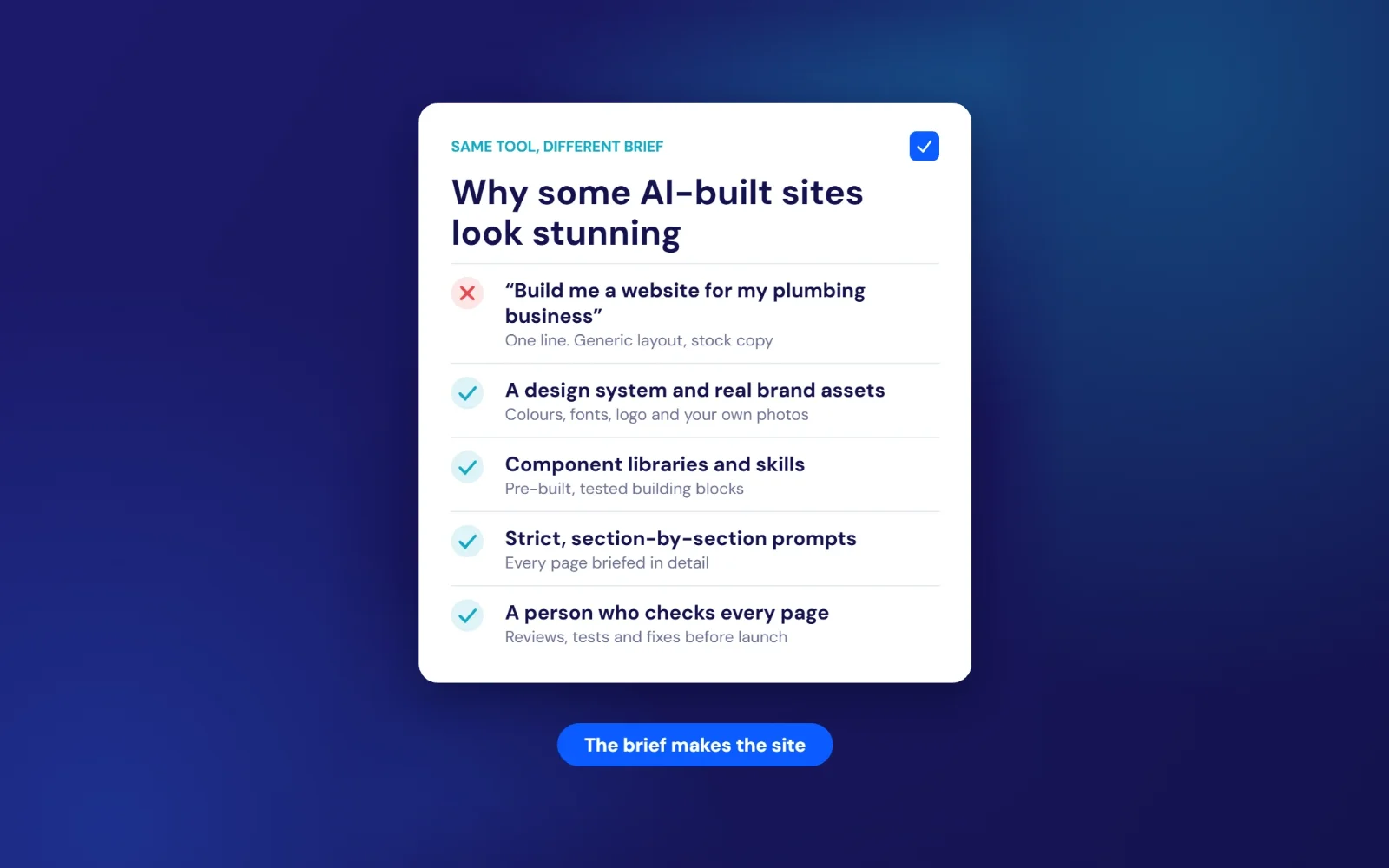
In other words, the best vibe-coded websites are made by people who already know what a good website needs. The AI makes them faster. It doesn’t replace what they know.
When an owner without that background types a single sentence, the AI fills every gap with the most average answer it can find. That’s why so many AI-built sites look alike: the same gradients, the same three-column “features” layout, the same headlines about helping you “elevate” or “unlock” something. Our guide to website builders for small business explains the same trade-off for traditional DIY tools.
Why some customers walk away from AI-made sites
Most of your customers won’t know what vibe coding is. They’ll still notice when something feels off.
In research published by Optimizely in September 2026, 62% of 1,000 UK consumers said they trust brand marketing less since companies started using AI. 57% said they can usually spot AI-generated content, and 72% said they’re more likely to engage with content that feels human. Two in three said AI-generated images of people in adverts feel creepy.
A website is often the first proper conversation a customer has with you. If the photos are stock or generated, the copy could describe any business in any town, and the “about” page says nothing about who you are, people quietly decide you’re not for them. They don’t complain. They just ring the next name on Google.
The things that win local work are the things an AI can’t make up for you:
- Real photos of you, your team, your van, your premises and your finished work.
- Prices, or at least honest price ranges, so people know whether to call.
- Reviews from named customers, linked to your Google Business Profile.
- Copy that sounds like you, mentions the places you actually work and answers the questions people actually ask.
AI can help you write and arrange all of that. It can’t supply it. If your site has visits but no enquiries, our guide to why a website gets visits but no enquiries walks through the usual causes.
SEO: why “do good SEO” isn’t enough
This is the part that catches most people out. You can add “and make it SEO friendly” to your prompt, and the AI will say it has. It might add a page title and a meta description. It might not. Either way, a sentence like that doesn’t tell it any of the things that decide whether you show up in Google for the searches that bring in work.
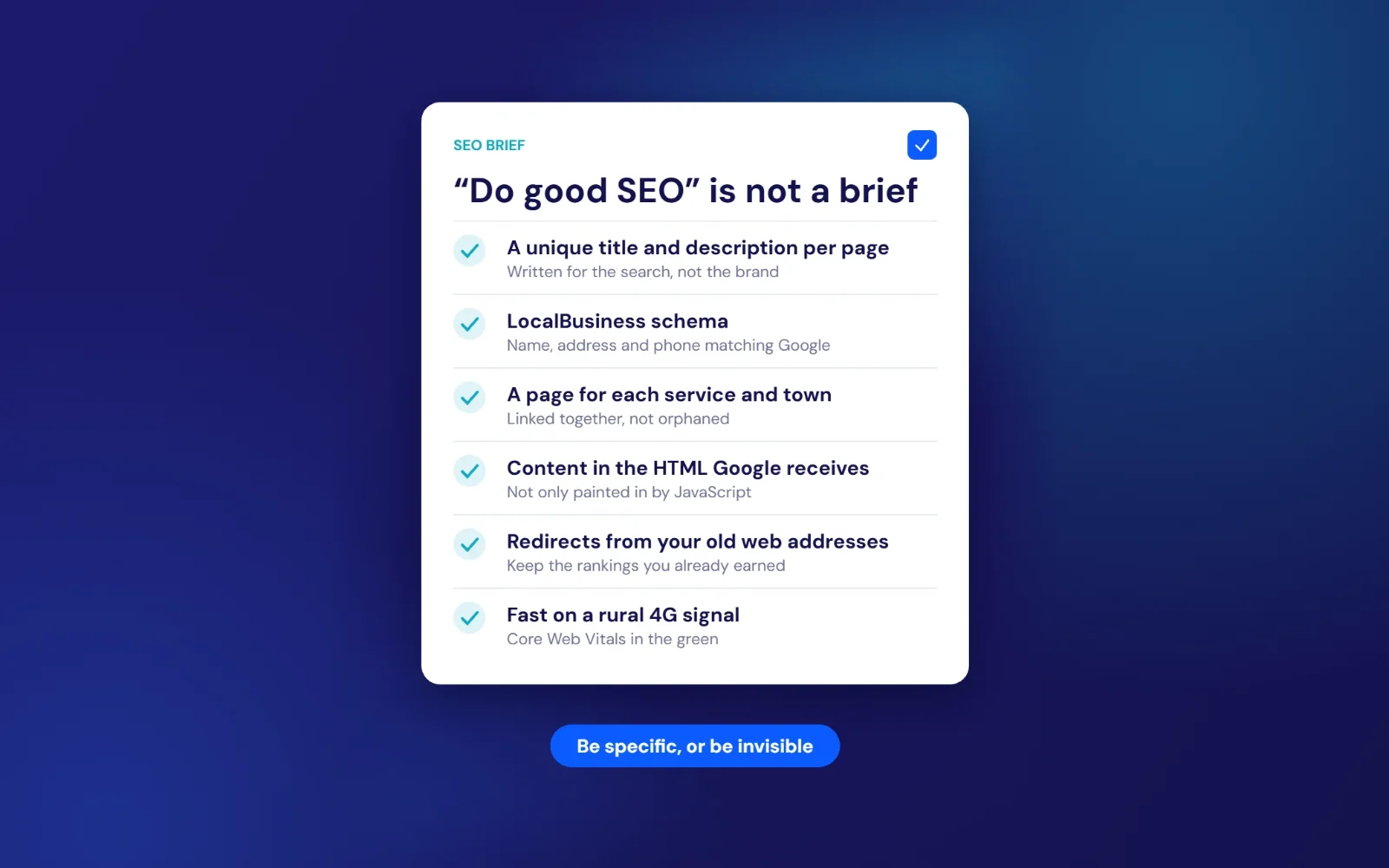
Search engine optimisation for a local business is a long list of specific decisions. The AI can make every one of them well, but only if you know to ask, and ask precisely. Here’s what a proper brief has to spell out.
1. Page titles and descriptions written for real searches
Every page needs its own title (around 50 to 60 characters) and description (around 150 to 160), written around what people type, such as “dog groomer Morpeth” or “emergency electrician Hexham”. AI builders often reuse the business name on every page, or write something poetic that nobody searches for.
2. One clear H1 and sensible headings
Each page should have one main heading that says what the page is about, with subheadings in a logical order. AI-generated layouts regularly use heading tags for styling, so you end up with four H1s on a page, or none at all.
3. Local business structured data
Structured data (schema markup) tells Google your business name, address, phone number, opening hours and service area in a format it can read reliably. That information needs to match your Google Business Profile exactly. Few AI tools add it unless you ask for LocalBusiness schema by name and give them the details.
4. A page for each service and each place you work
A single page listing “rewires, fuse boards, EV chargers and PAT testing across Northumberland” will struggle against competitors who have a properly written page for each. AI will happily make a one-page site because that’s what “a website” sounds like. Ranking for several services in several towns needs a planned structure with internal links between the pages. Our local SEO service is built around exactly this.
5. Content Google can actually read
Many AI app builders produce single-page JavaScript apps, where the text is painted onto the screen by code after the page loads. Google can usually render JavaScript, but it’s an extra step, things can go wrong, and plenty of other crawlers, including some AI search tools, only read the raw HTML. If your services and phone number aren’t in that HTML, some of the tools people use to find businesses may never see them.
6. Redirects from your old site
If you’re replacing an existing website, every old page address needs pointing to its new equivalent with a 301 redirect. Skip this and you can lose rankings you spent years building, overnight. An AI that’s building a brand-new site has no idea your old one existed unless you tell it, page by page.
7. Speed on a real phone signal
AI-built sites often load large images, heavy animation libraries and several fonts. Google’s own research found that 53% of mobile visits are abandoned when a page takes longer than three seconds to load. On a 4G signal in rural Northumberland, a site that feels instant on office Wi-Fi can feel broken.
8. Images, alt text, sitemaps and the rest
Compressed images in modern formats, descriptive alt text, an XML sitemap, a sensible robots file, canonical tags, a Google Search Console connection and a working 404 page. None of it is glamorous, and all of it matters.
Is AI-written content itself a problem for Google? Not on its own. Google’s guidance says it rewards helpful content however it’s produced, but using automation to churn out pages mainly to manipulate rankings breaks its spam policies. The risk isn’t that an AI wrote your page. It’s that a page written with no knowledge of your business, your customers or your town isn’t much help to anyone.
UK GDPR and cookies: the part AI rarely gets right
Most AI tools are trained on a web that’s largely American. Ask for a contact form and an analytics tracker and you’ll get them, working perfectly, with little thought for UK law. A vibe-coded website can be in breach of data protection rules on the day it launches without the owner ever knowing.
Cookies and tracking under PECR
In the UK, cookies and similar tracking are covered by the Privacy and Electronic Communications Regulations (PECR), which sit alongside UK GDPR. The basic rule is that you need consent before setting cookies that aren’t strictly necessary, and that consent has to be real: a clear choice, with rejecting as easy as accepting.
That rule changed in an important way this year. The Data (Use and Access) Act 2025 commencement regulations brought new PECR provisions into force on 5 February 2026. Two things matter for small business websites:
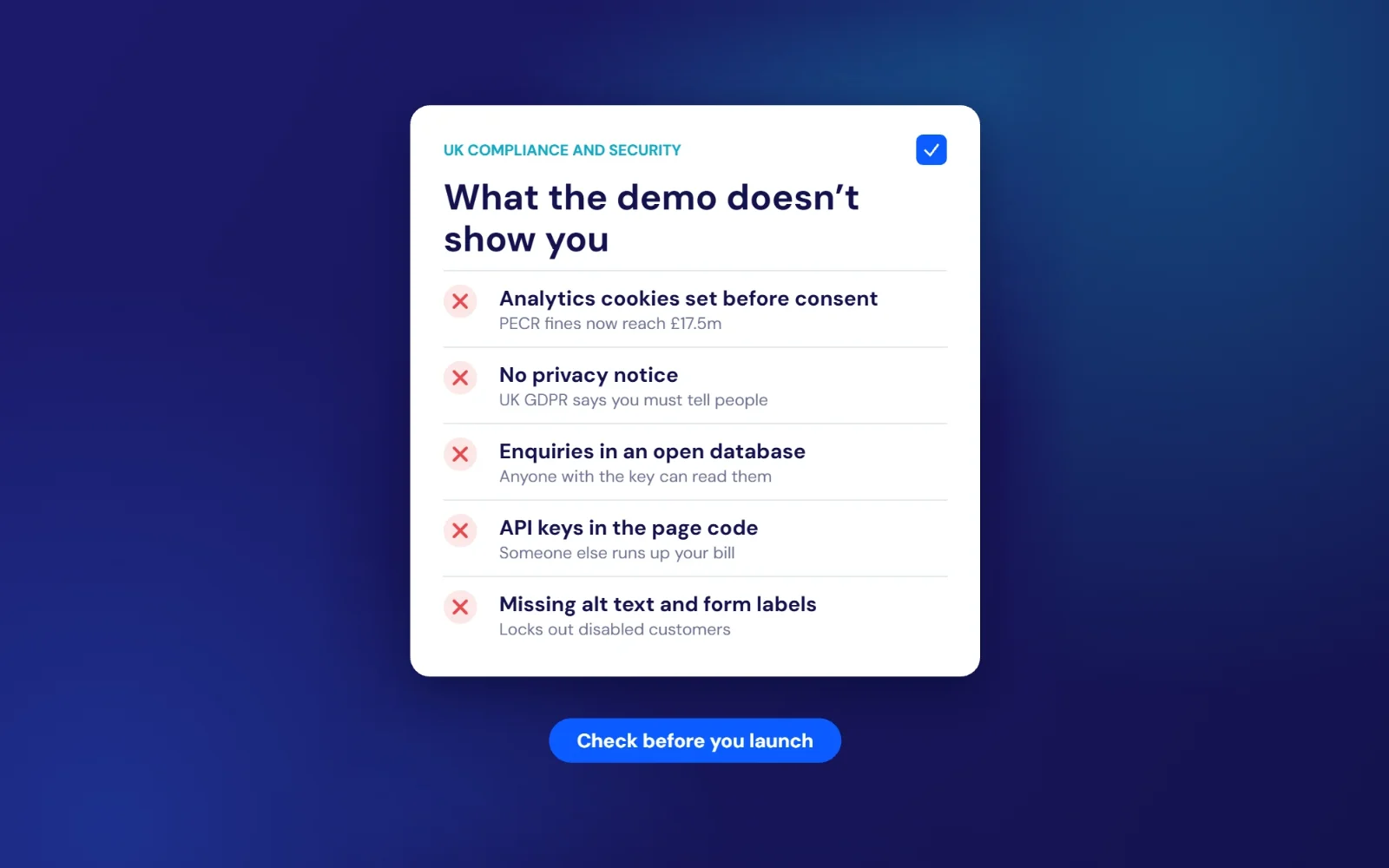
- Fines went up. The maximum penalty for cookie and electronic marketing breaches rose from £500,000 to £17.5 million or 4% of global annual turnover, whichever is higher. The Information Commissioner’s Office (ICO) says it will use these powers for the most serious cases.
- Some analytics no longer needs consent, with conditions. Cookies used only to collect statistics to improve your own site can be set without consent, but only if you give people clear information, offer a simple free way to object and don’t share the data for anyone else’s purposes, such as advertising. Standard setups for many popular analytics and advertising tools won’t qualify as they are.
The ICO published its final guidance on storage and access technologies in April 2026, and it’s been actively checking websites. In its review of the UK’s top 1,000 websites, only 415 passed its advertising cookie checks before it got involved. After letters, investigations and 17 preliminary enforcement notices, 979 passed. Small sites aren’t the first target, but the direction is clear.
Here’s where vibe-coded sites slip up. Ask an AI to “add Google Analytics” and it pastes in the tracking code so it fires the moment the page loads. Ask it to “add a cookie banner” and you’ll often get a banner that shows up, looks the part and changes nothing, because the tracking already ran before anyone clicked. Unless you ask specifically for scripts to be blocked until consent is given, and for “Reject” to be as easy as “Accept”, you’ll probably end up with a banner that’s just decoration.
Privacy notices and contact forms
Under UK GDPR, if your site collects personal data (a name and email in a contact form counts), you need to tell people who you are, what you’re collecting, why, how long you keep it and who you share it with. AI tools will generate a privacy policy if asked, but it’ll be generic, often written for US law, and it won’t know where your data actually goes.
That last part is the real question. When someone fills in a form on an AI-built site, where does their message go? It might be emailed to you. It might be stored in a database run by the builder. It might go to a third-party form service in another country. You need to know, because you’re responsible for it, and because sending personal data outside the UK brings extra rules.
We cover the wider question in is it safe to use AI with customer data?, which is worth reading if you’re thinking about connecting AI tools to your enquiries.
Accessibility and the Equality Act
Accessibility tends to be the first thing AI leaves out and the last thing owners think to ask for. The WebAIM Million report, which tests the home pages of the top one million websites every year, found detectable accessibility failures on 95.9% of them in 2026, with an average of 56 errors per page. The most common were low-contrast text (83.9% of pages), images without alt text (53.1%) and form fields without labels (51%).
Those are exactly the problems AI-generated designs tend to have: pale grey text on white for a “clean” look, decorative images with no description, and stylish forms where the label disappears once you start typing. Under the Equality Act 2010, businesses that provide services to the public have a duty to make reasonable adjustments for disabled people, and that’s widely understood to include websites. More practically, there are around 16 million disabled people in the UK, according to the government’s Family Resources Survey (figures via Scope). An inaccessible website quietly turns some of them away.
Free first call
Already built a site with AI?
Send us the link. We’ll check the cookies, forms, privacy notice, accessibility and SEO basics, and tell you plainly what’s fine and what needs fixing. If it’s in good shape, we’ll say so.
Book a free callNo obligation. A reply within one working day.
Security: the risk you can’t see from the front end
A brochure website doesn’t sound like something worth attacking, but attackers don’t pick targets by hand. Automated tools scan the web all day, looking for open databases, exposed keys and forms they can abuse. Small sites get hit because they’re easy, not because anyone has chosen them.
The government’s Cyber Security Breaches Survey 2025/26 found that 43% of UK businesses had a breach or attack in the previous 12 months, including 42% of micro businesses and 46% of small ones. Phishing was the most common, affecting 38%.
What the research says about AI-written code
In 2025, the security firm Veracode tested more than 100 AI models on 80 coding tasks. In its GenAI Code Security Report, the models introduced well-known security flaws in 45% of cases, and failed to protect against cross-site scripting, one of the most common website attacks, 86% of the time. Veracode’s chief technology officer, Jens Wessling, put it bluntly: the models “make the wrong choices nearly half the time, and it’s not improving.”
The bigger issue might be confidence. A Stanford University study found that people using an AI assistant wrote significantly less secure code than those without one, and were also more likely to believe their code was secure. That’s the vibe-coding trap in one sentence. The site works, so it feels finished.
When it went wrong for real
In 2025, a security researcher named Matt Palmer found that many apps built with the AI app builder Lovable had their databases left open. His scan found 303 vulnerable access points across 170 projects, exposing names, email addresses, phone numbers, payment details and private API keys. The flaw was logged as CVE-2025-48757. The cause wasn’t a hacker’s genius. The generated apps were missing database rules that stop strangers reading other people’s data, and the people who built them had no reason to know those rules existed.
That’s Dan’s contact form from the start of this post. It doesn’t need a criminal mastermind. It needs one automated scan.
The security gaps we see most
- Open databases. Form submissions stored without access rules, so anyone with the public key can read them.
- Keys in the page code. API keys for maps, email or AI services pasted into the front end, where anyone can copy them and run up your bill.
- Forms with no spam protection. Contact forms that bots flood within days, or that can be used to send spam in your name.
- Outdated packages. AI tools often add code libraries without pinning or updating them, so known vulnerabilities pile up quietly.
- No backups and no monitoring. If something breaks or gets defaced, nobody notices until a customer mentions it.
If you only read one security resource as a small business owner, make it the National Cyber Security Centre’s free Small Business Guide.
Who owns it, and who fixes it?
There’s a quieter problem that only shows up months later. Before you build, it’s worth knowing the answers to these:
- Can you take the site with you? Some AI builders let you export clean code. Others only run the site on their own platform, on their own subscription, at whatever price they set next year.
- Who owns the domain? Register it in your own name, with your own login. Always.
- What happens when you ask for one small change? AI tools sometimes rewrite whole files to make a tiny edit, breaking things that used to work. Without version history, you can’t easily go back.
- Who do you call when it breaks? With a developer or agency, there’s a person responsible. With a vibe-coded site, it’s you and a chat window.
Our list of 20 questions to ask a web designer covers ownership in more detail, and most of the questions apply just as well to AI tools.
When an AI-built website is perfectly fine
We said this would be fair, so here it is. There are plenty of times when a vibe-coded site is the right call, and paying a developer would be overkill.
- A holding page while you get a new business off the ground.
- Testing an idea before you spend real money on it.
- A one-off event or campaign page that will only be live for a few weeks.
- A simple portfolio that doesn’t collect any data and doesn’t need to rank.
- Internal tools that only you and your team will ever use.
- You’re technical, or willing to learn, and you’ll check the code, the cookies and the forms yourself.
The common thread: little or no personal data, low stakes if it breaks, and no reliance on Google to bring in customers. Once a site has to win work, handle enquiries and represent your business for years, the hidden jobs start to matter more than the design.
AI website builder vs developer: a side-by-side comparison
| One-prompt AI site | Carefully briefed AI build | Developer or agency | |
|---|---|---|---|
| Upfront cost | Free, or a monthly subscription | Your time, plus tool subscriptions | Typically a fixed quote; our simple sites start from £499 |
| Time to launch | Minutes to hours | Days to weeks | Usually a few weeks (see timelines) |
| Design quality | Polished but generic | Can be excellent | Built around your brand |
| Local SEO | Basic at best | Good if you know exactly what to ask | Planned from the start |
| UK GDPR and cookies | Often missed | Only if you specify it | Should be included and explained |
| Security | Unchecked | Depends on your review | Tested before launch, maintained after |
| Who fixes it | You | You | A named person |
For a fuller breakdown of what goes into a price, see how much a website costs in the UK.
How to vibe code a website properly (if you’re going to anyway)
If you’ve read this far and still want to build it yourself, good. Here’s how to give yourself the best chance. Treat the AI like a fast, eager junior who has never heard of your business, your town or UK law.
Step 1: Write the brief before you open the tool
Write down your services, the towns you cover, your prices or price ranges, your opening hours, your phone number, your best three reviews and the questions customers ask most. Gather your logo, brand colours and real photos. The AI can only work with what you give it.
Step 2: Plan your pages
List every page and what it’s for: home, one page per main service, one page per main town if local search matters, about, reviews, contact, privacy notice and cookie policy. Decide the address (URL) of each one.
Step 3: Give the AI rules, not wishes
Instead of “make it SEO friendly and GDPR compliant”, spell it out. Something like this:
Build a static, multi-page website. Every page must be readable as plain HTML without JavaScript.
Each page: one H1, logical H2/H3 order, a unique title under 60 characters and a meta description under 160.
Add LocalBusiness schema in JSON-LD using exactly these details: [name, address, phone, hours, service area].
No analytics, advertising or third-party scripts may load until the visitor has given consent.
The cookie banner must offer "Accept" and "Reject" with equal prominence, and remember the choice.
All text must meet WCAG 2.2 AA contrast. Every image needs descriptive alt text. Every form field needs a visible label.
Contact form: send submissions by email only. Do not store them in a database. Add spam protection.
Never place API keys or secrets in front-end code.
Compress all images to WebP and lazy-load anything below the fold.
It isn’t exciting. It is the difference between a site that looks right and a site that is right.
Step 4: Build one section at a time
Ask for the header, check it on your phone, then move on. Small steps are easier to check and much easier to undo.
Step 5: Test like a customer, then like an inspector
Fill in every form and make sure the message arrives. Open the site in a private browser window and check that no tracking runs before you accept cookies. Run each page through Google’s free PageSpeed Insights and the WAVE accessibility checker. Search Google for your business name a week after launch.
Step 6: Get a second pair of eyes
Ask someone who builds websites for a living to look it over before you send customers to it. An hour of review is cheap compared with a data breach or six months of no enquiries.
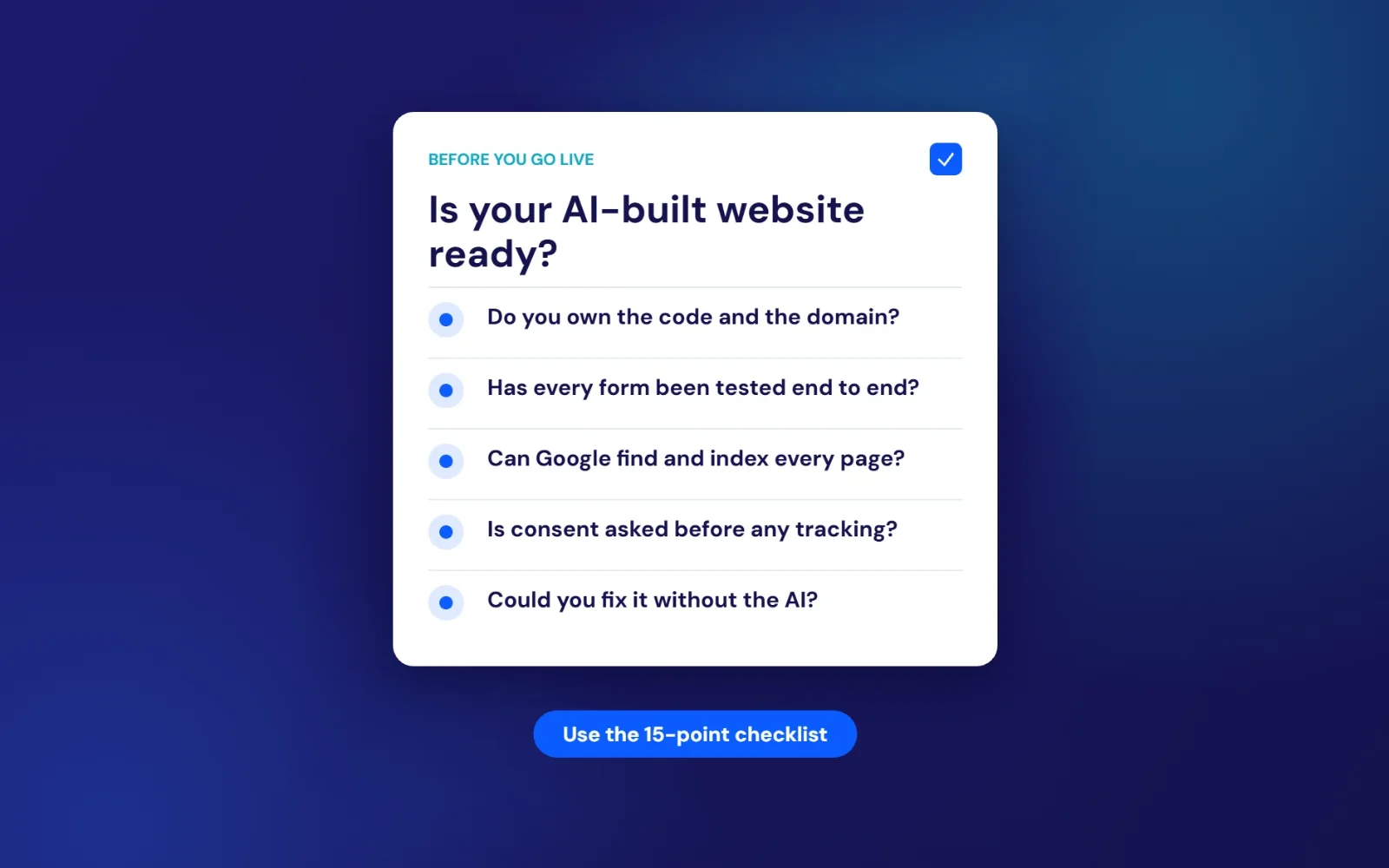
The 15-point checklist for any AI-built website
Use this before launch, or on a site that’s already live. Feel free to share it with anyone who’s just built their first site with AI.
Ownership
- The domain is registered in your name, with a login only you control.
- You can export the site, or you know exactly what it would take to move it.
- There’s a backup or version history you know how to restore.
SEO
- Every page has a unique title, description and a single H1.
- LocalBusiness schema matches your Google Business Profile exactly.
- Each main service and town has its own page, linked from the others.
- Old page addresses redirect to the new ones, and the site is submitted to Google Search Console.
- Pages load in under three seconds on a phone using mobile data.
UK compliance
- No non-essential cookies or tracking run before consent, and “Reject” is as easy as “Accept”.
- There’s a privacy notice written for your business, explaining what you collect, why and where it goes.
- Text contrast, alt text and form labels pass a free accessibility checker.
Security and forms
- Every form has been tested and the messages arrive where you expect.
- Form submissions aren’t stored anywhere publicly readable.
- No API keys or passwords appear in the page source.
- Someone is responsible for updates, and you know who to call when it breaks.
If you can tick all 15, you’re in better shape than a lot of professionally built sites. If you can’t, you know where to start.
The middle ground most owners don’t hear about
This isn’t a choice between doing everything yourself and paying an agency a fortune. The sensible option for most small businesses sits in between: use AI for what it’s good at, and have someone who knows the rules handle what it isn’t.
That might mean a developer reviewing and fixing a site you’ve already built. It might mean a developer building the site with AI tools themselves, which can bring the cost and timeline down, then checking every page, form and cookie properly. Either way, a person is accountable for what goes live.
It’s how we think about AI across everything we do. Our AI automation work uses it to take admin off your plate, with you approving anything that matters. Our website design uses whatever gets you a fast, findable, compliant site at a fair price. If AI isn’t the answer, we’ll tell you.
What happened to Dan
Dan didn’t throw his site away. He liked the look of it, and so did his customers. What he needed was the work underneath.
The contact form was rebuilt to email enquiries straight to him, with nothing stored in a public database. The analytics now waits for consent. He has a proper privacy notice, a page for each of the towns he covers, and structured data that matches his Google Business Profile. The golden retriever was swapped for photos of real dogs he’s groomed, with their owners’ permission.
The design barely changed. The difference was everything you couldn’t see.
Frequently asked questions
Can I build a business website with ChatGPT or another AI?
Yes. AI can write the code and copy for a working website in minutes. Whether it’s good enough depends on how detailed your brief is and whether someone checks the SEO, UK GDPR, cookie consent, accessibility and security before it goes live.
Are AI website builders good for SEO?
They can be, but only if you ask for specific things: unique page titles and descriptions, one H1 per page, LocalBusiness schema, a page per service and town, content that’s readable without JavaScript, and redirects from any old site. “Make it SEO friendly” isn’t enough.
Does Google penalise AI-generated websites?
Not for being made with AI. Google’s guidance says it rewards helpful content however it’s produced. It does penalise content mass-produced mainly to manipulate rankings, and generic pages tend to struggle anyway because they aren’t very useful.
Is a vibe-coded website GDPR compliant?
Not automatically. Common gaps include tracking that runs before consent, cookie banners that don’t block anything, generic or missing privacy notices, and form data stored somewhere you don’t control. Under PECR, cookie fines can now reach £17.5 million or 4% of global turnover.
Are AI-built websites secure?
Some are, many aren’t checked. Independent testing found AI models introduced known security flaws in 45% of coding tasks, and real incidents have exposed customer data from AI-built apps. Have the forms, database rules and page source checked before launch.
How much does it cost to fix an AI-built website?
It depends on what’s wrong. Some sites need an afternoon of fixes to cookies, forms and page titles. Others are cheaper to rebuild properly. We’ll look at yours on a free call and give you a fixed quote either way.
Should I hire a web developer or use an AI website builder?
Use an AI builder for holding pages, tests and short-lived pages that don’t collect data. Hire a developer, or have one review your AI build, when the site needs to bring in enquiries, rank locally and handle customer details. Our guide to choosing a website developer explains what to look for.
Free first call
Not sure where your site stands?
Whether you’ve built it with AI, a DIY builder or an agency, send us the link or a quick description of your business. We’ll tell you what’s working, what isn’t, and what it would cost to fix, in plain English.
Book a free callNo obligation. A reply within one working day.
Sources
- LBC: “Vibe coding” named Collins Word of the Year 2025
- Optimizely: Six in 10 consumers say AI has made brand marketing less trustworthy (September 2026)
- Google Search Central: JavaScript SEO basics
- Google Search Central: Guidance on using generative AI content
- Think with Google: Mobile site load time statistics
- legislation.gov.uk: The Data (Use and Access) Act 2025 (Commencement No. 6) Regulations 2026
- ICO: Guidance on the use of storage and access technologies
- ICO: One year on from the Data (Use and Access) Act
- ICO: ICO action secures increased cookie compliance (December 2025)
- WebAIM: The WebAIM Million (2026)
- legislation.gov.uk: Equality Act 2010
- Scope: Disability facts and figures (Family Resources Survey)
- GOV.UK: Cyber Security Breaches Survey 2025/26
- Veracode: 2025 GenAI Code Security Report press release
- Perry et al., Stanford University: Do Users Write More Insecure Code with AI Assistants? (ACM CCS 2023)
- Superblocks: Lovable vulnerability explained (CVE-2025-48757)
- NCSC: Small Business Guide