
It’s 9.40 on a Sunday night and Mark is still at the laptop. He fits kitchens for a living, and he’s good at it. Customers love him, the work is steady and his diary is full until spring. But every Sunday looks the same: copying enquiry details from emails into a spreadsheet, typing up quotes from scribbled notes, chasing two invoices that are three weeks late and texting Tuesday’s customer to check they still want the early start.
None of it is hard. All of it is necessary. And by his own count it eats around eight hours a week, which is a full working day he could spend fitting kitchens or with his kids.
Mark is a composite of a lot of owners we work with, from builders to recruiters to café owners. What they share is a business running on repeated, manual steps that nobody has ever stopped to look at. That is exactly where process automation earns its keep. This guide explains what it is, where to start, what it costs and how to do it without breaking anything, or anyone’s trust.
Key takeaways
- Process automation means letting software handle repeated steps in your business, like replying to enquiries, sending reminders or copying details between systems.
- Start with one process that happens often, follows the same steps and annoys you most.
- Map the steps on paper before you touch any tools.
- Simple process automation tools cost from free to around £50 a month. Done-for-you builds usually cost a fixed fee per automation.
- Keep a human check on anything that affects money, customer data or your reputation.
What is process automation?
A process is any job you do the same way, again and again. A new enquiry arrives, you reply, you add the details to your list, you book a call. Process automation means setting up software to do some or all of those steps for you, every time, without being asked.
It isn’t the same as AI, although the two often work together. Automation follows rules: when this happens, do that. AI adds judgement: read this email and decide whether it is a quote request or a complaint. Most of the quick wins for small businesses are plain automation. AI comes in when the input is messy, such as free-text emails or handwritten notes. If you want examples of where AI fits, read how AI can help small businesses.
Why process automation matters more for small businesses
Big companies have teams to absorb admin. In a small business, every manual step comes out of the owner’s evenings or a key person’s day. That is why process automation tends to pay back faster for a five-person firm than for a corporate one.
The benefits are practical rather than glamorous:
- Speed. Enquiries get a reply in minutes, not when you finish on site. The first business to respond often wins the job.
- Consistency. Every customer gets the same reminder, the same follow-up and the same welcome pack.
- Fewer mistakes. Copying details by hand is where typos, double bookings and lost leads come from.
- Time back. Even two or three hours a week adds up to more than three working weeks a year.
Signs your business is ready for process automation
You don’t need a big budget or a tech-savvy team. You need a few repeated jobs and the willingness to look at them closely. If any of these sound familiar, you are ready:
- You copy the same details from one system into another.
- You write very similar emails or messages several times a week.
- Enquiries sometimes wait a day or more for a first reply.
- You chase the same late payments every month.
- Customers forget appointments, and you lose time to no-shows.
- Only one person knows how a key job gets done.
5 process automation quick wins for small businesses
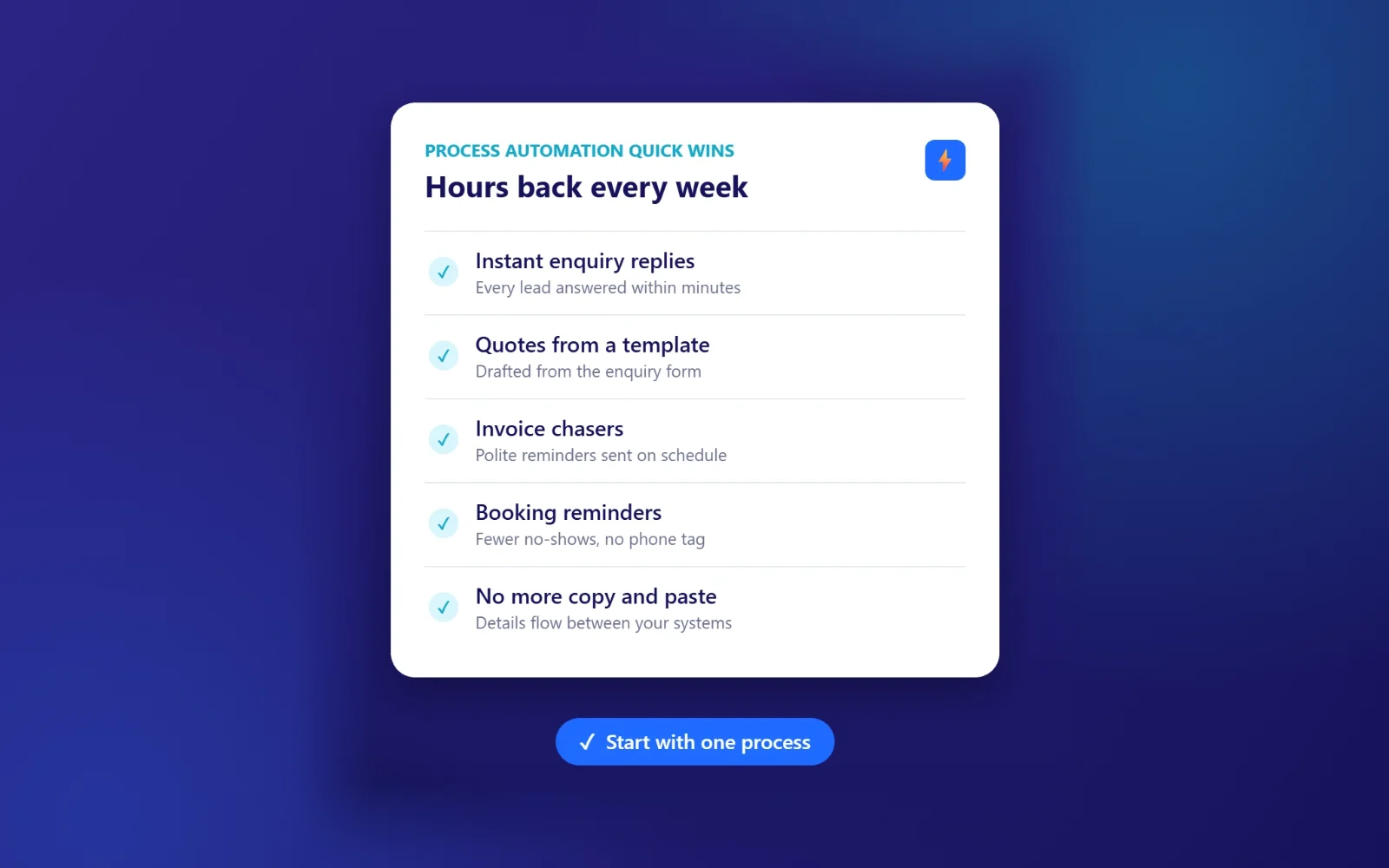
These are the places we see the fastest payback. Each one can usually be set up in days, not months.
1. Instant replies to new enquiries
When a form comes in, send a friendly, useful reply straight away: what happens next, when you’ll call and a link to book a time. Then add the enquiry to your list or CRM and ping your phone. This single piece of process automation often lifts conversion more than any website change.
2. Quotes drafted from the enquiry
If your quotes follow a pattern, the details from your form can fill a quote template automatically. You check it, tweak the price and press send. For trades, this can turn an hour of Sunday typing into ten minutes of checking. Our page on automation for trades and builders shows how this works in practice.
3. Invoice reminders that chase for you
Polite reminders at seven, fourteen and thirty days, sent automatically from your accounting software, with a payment link in each one. No awkward phone calls, and you only step in when a reminder is ignored.
4. Booking confirmations and reminders
A confirmation when someone books, a reminder the day before and a follow-up asking for a review afterwards. Cafés, salons, clinics and venues see fewer no-shows almost immediately. See automation for cafés and venues for hospitality examples.
5. Ending copy and paste between systems
Your website form, email, calendar, spreadsheet, CRM and accounting tool can usually pass details to each other. Set it up once and the details flow without anyone retyping them. Recruiters in particular lose hours here, which is why we built a page on automation for recruiters.
Process automation examples by industry
The quick wins above apply almost everywhere, but each sector has its own time sinks. Here are the ones we see most.
Trades and construction
Turning site-visit notes into quotes, sending job confirmations with arrival windows, requesting reviews when a job is signed off and logging materials against each job. Photos taken on site can be filed against the right customer automatically, which saves a lot of hunting later.
Cafés, restaurants and venues
Table and event booking confirmations, allergy and dietary questions gathered before the visit, staff rota reminders, supplier orders triggered by low stock and review requests the morning after a booking.
Recruitment agencies
Logging new candidates from job boards and email, sending interview confirmations to both sides, chasing timesheets and keeping clients updated on shortlists without writing every update from scratch.
Consultants and professional services
Onboarding new clients with forms and welcome emails, sending proposals from a template, booking calls without the back-and-forth and sending invoices when a milestone is marked complete.
What to automate and what to keep human
Good process automation takes the dull, repeated steps and leaves people to do the parts that need judgement and warmth. This split works for most small businesses.
| Automate | Keep human |
|---|---|
| First reply to a new enquiry | The follow-up phone call |
| Drafting a quote from a template | Checking and setting the final price |
| Invoice and payment reminders | Conversations about payment problems |
| Booking confirmations and reminders | Handling complaints |
| Copying details between systems | Decisions about people |
How to start with process automation: a 6-step plan
The biggest mistake is buying a tool before you understand the job. This plan keeps you focused.
- List your repeated jobs. Spend one week noting every task you do more than twice.
- Score each one. How often does it happen, how long does it take and how annoying is it? Pick the top one.
- Map the steps on paper. Write every step, decision and system involved. You will often find steps you can simply delete.
- Decide where a human checks. Anything involving money, personal data or a promise to a customer should have a person in the loop.
- Build the simplest version. One trigger, a few steps, tested with real examples.
- Measure and improve. Track the time saved for a month, then move on to the next process.
Process automation tools for small businesses
You may already be paying for software that can automate more than you realise. Accounting, booking and email tools often have built-in reminders and workflows. Check those first.
For connecting different systems, these are the most common options:
| Tool | Good for | Skill level |
|---|---|---|
| Built-in automations | Reminders and confirmations inside one tool | Beginner |
| Zapier | Connecting thousands of popular apps | Beginner to intermediate |
| Make | More complex, multi-step workflows | Intermediate |
| Microsoft Power Automate | Businesses already on Microsoft 365 | Intermediate |
| Custom builds | Unusual systems, AI steps and heavy volumes | Developer |
The tool matters less than the map. A clear process automated in a simple tool beats a messy one built in the most powerful platform on the market.
What does process automation cost?
There are two routes, and both can make sense.
| Route | Typical cost | Best for |
|---|---|---|
| Do it yourself | Free to around £50 a month in tool fees | Simple, single-app workflows and confident users |
| Done for you | A fixed fee per automation, plus any tool fees | Multi-step workflows, AI steps and busy owners |
Our own AI automation builds, for businesses in Newcastle, across the North East and further afield, are priced as a fixed fee per automation, from £750 each, so you know the cost before anything starts.
To judge whether it is worth it, do the simple sum. If a process takes four hours a week and your time is worth £40 an hour, that is £160 a week, or more than £8,000 a year. Even if automation only removes half of that, it pays for itself within weeks.
Who looks after your automations?
Automations are a bit like a boiler. When they work, you forget they exist. When they stop, you only notice once something has gone wrong, usually a missed enquiry or an invoice that never chased.
Give every automation a named owner, even if that is you. Keep a one-page list of what each one does, which tools it uses and what to do if it fails. Most tools can email you when a run fails, so switch those alerts on. Then put a fifteen-minute check in the diary once a month. It is a small habit that keeps your process automation reliable as your business and your software change.
Process automation and customer data
Automations move information around, so they need the same care as anything else that handles personal data. Keep it simple and sensible:
- Only connect the systems that need the data.
- Use tools that store data securely and offer UK or EU data options where possible.
- Update your privacy policy if you add new tools that process customer details.
- Keep a short record of what each automation does and who looks after it.
The ICO’s guidance for organisations is the place to check your obligations. For AI tools specifically, read our guide on whether it is safe to use AI with customer data.
How to measure whether process automation is working
It is easy to set something up and assume it helps. Check instead. Before you build, write down how long the job takes each week and how often it goes wrong. A month after launch, measure again.
Look at three things: hours saved, errors avoided and speed for the customer, such as how quickly enquiries get a first reply. If an automation saves less time than it takes to look after, switch it off. The aim is a calmer week, not a collection of clever workflows.
Common process automation mistakes
- Automating a bad process. If the steps don’t make sense by hand, automating them just makes the mess faster.
- Trying to automate everything at once. Pick one process, prove it works, then move on.
- No human check. Sending wrong quotes or chasing an invoice that was already paid does real damage.
- Nobody owns it. Every automation needs a named person who notices when it stops.
- Forgetting the customer. Automated messages should still sound like you. Write them in your voice and keep them short.
What changed for Mark
Mark didn’t start with a grand plan. He started with the job he hated most: typing up enquiries and quotes. His form now sends every new lead a friendly reply with a link to book a site visit, adds the details to his job list and drafts a quote from his standard prices. He spends a few minutes checking and adjusting before anything goes out.
Next came invoice reminders, then appointment texts. Three small pieces of process automation, built over a few weeks, and Sunday nights went back to being Sunday nights. Nothing about his work changed. He just stopped doing the parts a computer could do for him.
Frequently asked questions
What is an example of process automation in a small business?
An enquiry form that automatically replies to the customer, adds their details to a spreadsheet or CRM and alerts you on your phone. It replaces several manual steps with one setup.
Is process automation the same as AI?
No. Process automation follows set rules, while AI can interpret messy information like emails or notes. Many useful automations use no AI at all, and the best ones combine the two where it helps.
How long does it take to set up process automation?
A simple automation can be live in a day. A multi-step workflow that connects several systems usually takes one to three weeks, including testing.
How much does process automation cost for a small business?
Doing it yourself with tools like Zapier or Make costs from free to around £50 a month. Having a specialist build it usually means a fixed fee per automation, plus tool fees. Compare the cost against the hours saved each week.
Will process automation replace my staff?
In small businesses, it usually frees people from repetitive admin so they can focus on customers and skilled work. It rarely removes roles. It removes the worst parts of them.
Where should I start with process automation?
Start with the process that happens most often, follows the same steps every time and frustrates you the most. For most businesses, that is replying to new enquiries.
Free first call
Get your evenings back
Ready to try process automation in your business? Tell us about the job that eats your week. We’ll map it with you on a free call, tell you whether automation is the right answer and give you a fixed price if it is. If it isn’t, we’ll say so.
Book a free callNo obligation. A reply within one working day.