
Priya runs a small flower studio from a converted garage. In her first spring she spent three Sunday evenings on a website builder, dragging photos of peonies into a template and rewriting her “about” section until midnight. By Easter she had a site she was proud of, and a handful of wedding enquiries came through it. For about £20 a month, it was one of the best decisions she made that year.
Two years later, the same site was holding her back. She wanted online ordering for local delivery, a proper booking calendar for wedding consultations and to show up when people searched for florists in the next town over. Every fix meant another paid app, another workaround and another evening lost.
Both chapters of Priya’s story are true for thousands of owners, and that is the point of this guide. Website builders for small business can be brilliant. They can also quietly cost more than they save. Here is how to tell which side of that line you are on, before you spend your weekends finding out.
Key takeaways
- Website builders for small business are great for simple sites, tight budgets and owners who enjoy doing it themselves.
- Most plans cost £9 to £29 a month, but apps, premium themes, email and your own time add up quickly.
- They start to struggle with bookings, integrations, larger sites and competitive local search.
- Count your hours. Thirty hours of your time is rarely free.
- If you start on a builder, set it up so you can move later without losing your domain or your Google rankings.
What are website builders for small business?
A website builder is an online service that lets you create a site by choosing a template and editing it in your browser. Hosting, security and updates are handled for you, and you pay a monthly or yearly subscription instead of a build fee.
The best-known website builders for small business include Wix, Squarespace, Shopify for online shops, GoDaddy, Hostinger and Webflow. WordPress sits slightly apart. The free WordPress software is used by many developers, while WordPress.com offers a hosted, builder-style version.
If you are trying to choose between the big three, our detailed comparison of WordPress vs Wix vs Squarespace goes platform by platform. This guide steps back and asks the bigger question: should you use a builder at all?
Which website builders for small business suit which job?
Every platform has a sweet spot. These are broad patterns rather than rules, and features change often, so always check the current plans before you sign up.
| Builder | Best for | Watch out for |
|---|---|---|
| Wix | Beginners who want lots of design freedom | Hard to move away from later |
| Squarespace | Visual businesses that want polished templates | Less flexible for complex features |
| Shopify | Online shops of any size | App costs for extra features |
| GoDaddy | Very quick, very simple sites | Limited design and SEO control |
| Hostinger | Low-cost starter sites | Fewer advanced features |
| Webflow | Design-led sites built by confident users | Steeper learning curve |
| WordPress.com | Content-heavy sites and blogs | Plugins only on higher plans |
When website builders for small business are the right choice
There is no shame in DIY. Plenty of good businesses run on a builder for years. Website builders for small business are likely to suit you if most of these sound familiar.
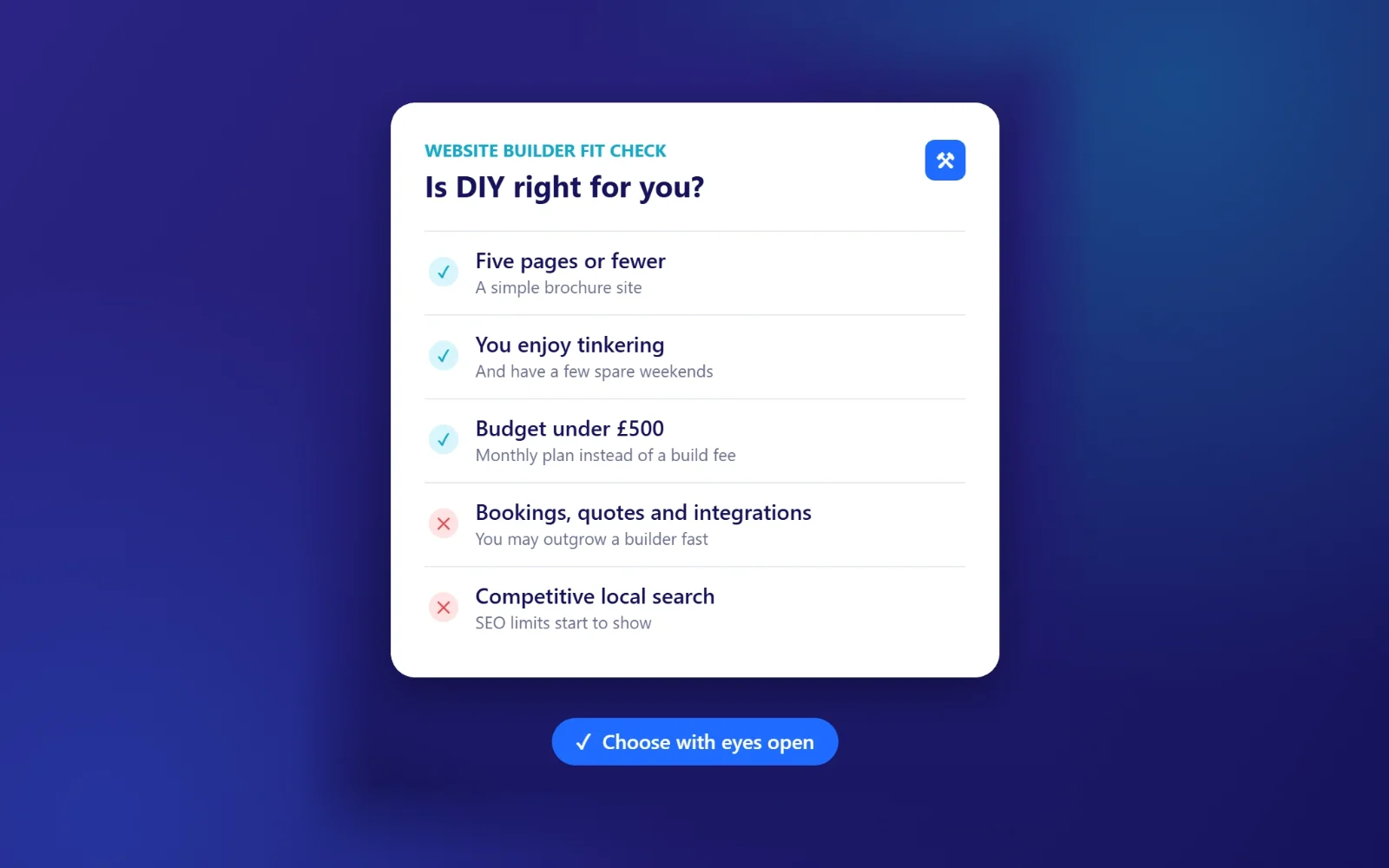
- You need five pages or fewer. Home, services, about, reviews and contact.
- Your budget is under £500. A monthly plan spreads the cost.
- You enjoy the process. Some people love tinkering with layouts. If that is you, it won’t feel like work.
- You are testing an idea. A builder is a cheap way to see if anyone is interested before you invest properly.
- Most customers find you by word of mouth. If the website is mainly a place to confirm you are real, it doesn’t need to win in search.
When a builder starts costing you money
The trouble with website builders for small business rarely shows up on day one. It creeps in as the business grows.
When you need things to talk to each other
Booking systems, quote calculators, CRM tools, accounting software and automated follow-up emails. Builders can do some of this through apps, but each one adds a monthly fee and another thing that can break. A developer can often connect these properly, and our AI automation work starts exactly here.
When local search gets competitive
Builders have improved a lot for SEO, and a well-built Wix or Squarespace site can rank. But in busy local markets, the gaps start to matter: limited control over page speed, code and structure, and templates that load features you don’t use. Read our guide to local SEO to see what Google rewards when people search nearby.
When the site grows past twenty pages
A page for each service and each town you cover is one of the most effective ways to win local enquiries. Managing that on a drag-and-drop builder gets fiddly fast.
When your time is worth more than the saving
This is the one most owners miss, so it gets its own section.
Website builders for small business, sector by sector
The right answer depends a lot on what you sell and how customers buy it. These are the patterns we see most often.
Trades and builders
Most of your work comes from local searches and recommendations, and customers want to see photos of real jobs, reviews and a quick way to ask for a quote. A builder can handle a basic version. Where it struggles is pages for every town you cover and quote forms that feed straight into your diary. If quotes eat your evenings, our page on automation for trades and builders shows what can be handed off.
Cafés, venues and hospitality
Menus, opening hours, table bookings and events change often, so you need something you can edit in seconds from your phone. Builders do this well. The pinch point is usually booking and ordering systems, which often charge their own fees on top of the builder. Our page on automation for cafés and venues covers how to tie those together.
Consultants, coaches and professional services
Your website does a lot of selling before anyone picks up the phone. Clear writing, proof of expertise and an easy way to book a call matter more than design tricks. A good template on a builder can work well here for years.
Shops and product businesses
If you sell online, choose a platform built for ecommerce from day one. Shopify is the usual choice. Moving a shop with hundreds of products later is a much bigger job than moving a five-page brochure site.
Signs you’ve outgrown your builder
Watch for these. Two or more usually means it is time to look at other options.
- You pay for four or more add-on apps to make the site do basic jobs.
- Competitors with similar reviews consistently rank above you locally.
- You avoid updating the site because it takes too long.
- Your site is slow on a phone, even after compressing images.
- You copy details from website enquiries into other systems by hand.
If that last one sounds familiar, our guide to small business website redesign walks through what a rebuild involves and how to do it without losing your rankings.
The real cost of website builders for small business
The monthly price is the smallest part of the bill with most website builders for small business. Here is a more realistic first-year picture for a typical five-page site.
| Cost | Website builder | Developer-built site |
|---|---|---|
| Build | Your time | £500 to £3,000 |
| Platform or hosting | £108 to £348 a year | £150 to £500 a year |
| Domain and email | £20 to £80 a year | £20 to £80 a year |
| Premium apps and themes | £0 to £300 a year | Usually included |
| Your hours | 20 to 40 hours | 3 to 6 hours |
Now put a value on those hours. If your time is worth £40 an hour, thirty hours on a builder is £1,200 of your week. That doesn’t mean DIY is wrong. It means the true comparison is between your time and someone else’s fee, not between £20 a month and a bigger invoice. For a full breakdown, see how much a website costs in the UK.
6 questions to ask before you choose between website builders for small business
Free trials make it easy to sign up on a whim. Answer these first and you will choose with your eyes open.
- What is the one job this website must do? Calls, bookings, sales or simply proving you exist.
- What will it cost after the introductory offer ends? Many plans jump in price in year two.
- Which features need paid apps? Booking, reviews, forms and pop-ups are common extras.
- Can I export my content if I leave? Check the help pages, not the sales pages.
- Who will update it, and how often? Be realistic about your evenings.
- How will customers find me? If the answer is Google, check how much control you get over SEO settings and page speed.
There are no wrong answers here. The point is to match the tool to the job, rather than choosing the one with the best advert.
How to get the best out of website builders for small business
If you decide to go DIY, a few habits will put you ahead of most builder sites.
- Plan the pages before you open the editor. Write a list of the questions customers ask and give each a home.
- Write the words in a document first. Templates make it tempting to fill boxes. Start with what you want to say.
- Use real photos. Your van, your team, your work. Stock images make small businesses look like everyone else.
- Put your phone number and a clear button on every page. Make the next step obvious.
- Fill in the SEO settings. Every builder has fields for page titles and descriptions. Use them, with the service and town people search for.
- Connect Google Search Console. It is free and tells you how people find you.
- Test on your phone. Then ask a friend to book or enquire without your help, and watch where they get stuck.
- Check your speed. Run the homepage through PageSpeed Insights and compress large images.
Keep your exit door open
The most common regret we hear isn’t “I used a builder”. It is “I can’t get off it”. Some website builders for small business make it hard to export your pages, so moving later means rebuilding from scratch.
Protect yourself from the start:
- Register your domain separately, in your business’s name, rather than through the builder’s free offer. You can check who holds a .uk domain on Nominet.
- Keep your own copies of your text and photos in a shared folder.
- Write down every page address, so you can redirect them if you move and keep your Google rankings.
- Use an email provider that isn’t tied to the builder, so a platform change never touches your inbox.
Done this way, starting on one of the website builders for small business and moving later is a perfectly sensible plan. You keep the cheap start without locking yourself in.
The middle ground most owners don’t know about
It isn’t a straight choice between DIY and a big agency. Plenty of developers will build a professional site for you, hand it over with training and let you edit it yourself from then on. You get a solid foundation, proper SEO setup and a site you can update in minutes, without spending your weekends learning layouts.
This hybrid route takes the best parts of website builders for small business, easy editing and low running costs, and adds the planning and SEO setup that most DIY sites miss. It also means someone is on hand when you get stuck.
Simple sites built this way often cost less than people expect. Ours start from £499, with optional hosting and care from £39 a month if you would rather not think about updates and backups.
What Priya did next
Priya didn’t abandon her builder in a panic. She wrote down what the business needed now: local delivery orders, a consultation calendar and pages for the three towns she served. Then she compared the cost of adding apps to her builder against having a site built with those features in from the start.
The builder had done its job. It got her first customers and proved there was demand. Moving on wasn’t a failure. It was a sign the business had grown. That is the healthiest way to think about website builders for small business: a stage, not a sentence.
Frequently asked questions
Are website builders good for small businesses?
Yes, for simple sites, small budgets and owners who enjoy doing it themselves. They become less suitable as you need integrations, more pages or stronger local search performance.
Which website builder is best for SEO?
Most major builders now cover the basics, such as page titles, descriptions and mobile-friendly templates. Self-hosted WordPress usually gives you the most control. Our WordPress vs Wix vs Squarespace guide compares them in detail.
How long does it take to build a site on a website builder?
Expect 20 to 40 hours for a simple five-page site if you are new to it, including writing and photos. Read how long it takes to build a website for a comparison with developer timelines.
Is Wix or Squarespace better for a small business?
Wix gives you more layout freedom and more apps. Squarespace has more polished templates and is harder to make look messy. Both are good website builders for small business sites with simple needs. Pick the one whose templates already look closest to what you want.
Can I move from a website builder to WordPress later?
Usually, yes, but expect to rebuild rather than copy the site across. Keep your domain in your own name and list every page address, so the move doesn’t cost you your Google rankings.
Do website builders for small business include hosting?
Yes. Hosting, security certificates and platform updates are part of the subscription. Email and premium apps are often extra.
Free first call
Not sure whether to DIY?
Weighing up website builders for small business against a professional build? Send us a link to your current site, or just a description of your business, and we’ll tell you which route makes sense and what each would cost. If a builder is the right answer, we’ll say so.
Book a free callNo obligation. A reply within one working day.