
WordPress vs Wix vs Squarespace: which is best for a small business website? In short, Wix and Squarespace are best if you want to build and run a simple site yourself with no technical setup. WordPress is best if you want full ownership, room to grow and the most flexibility for SEO, booking and integrations, usually with a designer’s help.
We build most of our client sites on WordPress, so we’ll be upfront about that bias. We also regularly audit Wix and Squarespace sites, and both can work well for the right business. This guide compares them on the things that actually matter to a small business: cost, ease of use, SEO, flexibility and who owns what.
Key takeaways
- Wix and Squarespace bundle hosting and security, so they’re easier to run yourself.
- WordPress powers around 43% of all websites and gives you the most control, but needs updates and good hosting.
- All three can rank well on Google. How the site is written and structured matters more than the platform.
- Think about leaving before you start: WordPress sites can move to any host, while the builders keep your site on their platform.
Quick comparison
| WordPress | Wix | Squarespace | |
|---|---|---|---|
| Best for | Growing businesses, custom features | DIY sites with lots of options | Design-led DIY sites |
| Typical cost | Hosting from about £20 to £300+ a year, plus a designer | £9 to £25 a month on most plans | £12 to £29 a month on most plans |
| Ease of use | Moderate, easier once set up | Easy | Easy |
| Design flexibility | Unlimited | High, within the editor | Polished templates, fewer options |
| SEO control | Full | Good | Good |
| Online booking and shops | Any system you like | Built-in apps | Built-in tools |
| Can you move your site? | Yes, to any host | No full export | Limited export |
Builder prices are UK annual-billing prices from 2026 guides: the Wix UK pricing guide and Squarespace UK pricing guide. Monthly billing costs more, and introductory deals may renew at higher prices, so check the current price on each provider’s site.
WordPress
WordPress is open-source software that you install on your own hosting. According to W3Techs figures reported by Barn2, it runs about 42.6% of all websites and around 60% of sites that use a known content management system. That popularity means a huge range of themes, plugins and developers.
Pros
- You own the site and can move it to any host.
- Almost anything is possible: booking systems, memberships, shops, custom calculators and integrations.
- Full control over SEO, speed, structured data and page addresses.
- No platform fees on sales, beyond your payment provider.
Cons
- It needs regular updates to plugins, themes and WordPress itself to stay secure.
- Quality varies. Cheap hosting and bloated themes make sites slow.
- Most owners need a designer to set it up well.
WordPress makes most sense when the website is central to how you win work, or when you need features the builders can’t handle cleanly. Our website design services are built on it for those reasons.
Wix
Wix is an all-in-one website builder. Hosting, security and updates are handled for you, and the drag-and-drop editor lets you place anything anywhere. UK plans start at £9 a month for Light, £16 for Core and £25 for Business on annual billing, and Wix Payments charges 2.1% plus 20p per UK card transaction.
Pros
- Very easy to start, with lots of templates and built-in apps.
- Hosting, security and updates are included.
- Built-in booking, shop and events tools.
Cons
- You can’t export your site to another platform. If you leave, you rebuild.
- The freedom of the editor makes it easy to build pages that look messy on mobile.
- Costs creep up with paid apps and higher plans.
Squarespace
Squarespace is also all-in-one, known for polished, design-led templates. UK plans start at £12 a month for Basic, £17 for Core and £29 for Plus on annual billing. Note that the Basic plan adds a 2% fee on store sales, on top of card processing.
Pros
- Beautiful templates that are hard to make look bad.
- Hosting, security and updates are included.
- Good built-in tools for scheduling, shops and email campaigns.
Cons
- Less flexible than Wix or WordPress for unusual layouts or features.
- Only some content can be exported if you move.
- Transaction fees on the cheapest plan.
Not sure which platform suits your business? We’ll give you an honest recommendation on a free call, even if the answer is a DIY builder.
Day-to-day editing
Most small business owners only need to change opening times, prices, photos and the odd news post. All three platforms handle that comfortably. Wix and Squarespace let you edit directly on the page, which feels natural. On WordPress, how easy it is depends on how the site was built. A well set-up WordPress site with a sensible page builder is just as easy to edit, while a poorly built one can be frustrating.
Before you choose, ask whoever is building the site to show you how you’d update a price or swap a photo. If it takes more than a minute to explain, it’ll be a chore.
Security and maintenance
With Wix and Squarespace, the platform handles hosting, security patches and updates. That’s a real advantage if nobody in your business wants to think about it.
WordPress puts that responsibility on you or your designer. Plugins and themes need updating regularly, and out-of-date plugins are one of the most common ways small business sites get hacked. That isn’t a reason to avoid WordPress, but it is a reason to have a plan, whether that’s a monthly routine or a care plan like our website hosting and care.
Booking systems and online shops
- Wix has built-in booking and shop tools that work well for straightforward appointments and small product ranges.
- Squarespace has scheduling and commerce tools with clean checkouts, but less room for unusual rules.
- WordPress can use almost any booking or shop system, from WooCommerce to custom-built booking, which matters when you have deposits, capacity limits or multiple sessions a day.
For example, the online booking we built for Little Lincoln runs sessions six days a week with rules a standard builder app would struggle with.
Which is best for SEO?
All three platforms can rank well. In our audits, the problems we find are almost never the platform itself. They’re missing page titles, no meta descriptions, no town names, slow images and thin content. Those are fixable on any platform.
Where WordPress pulls ahead is control: page addresses, structured data, redirects, speed tuning and detailed SEO plugins like Rank Math. For a local business in a competitive area, that control adds up. Our guide to website design and SEO explains what a search-ready site needs, whichever platform you choose.
Which is cheapest?
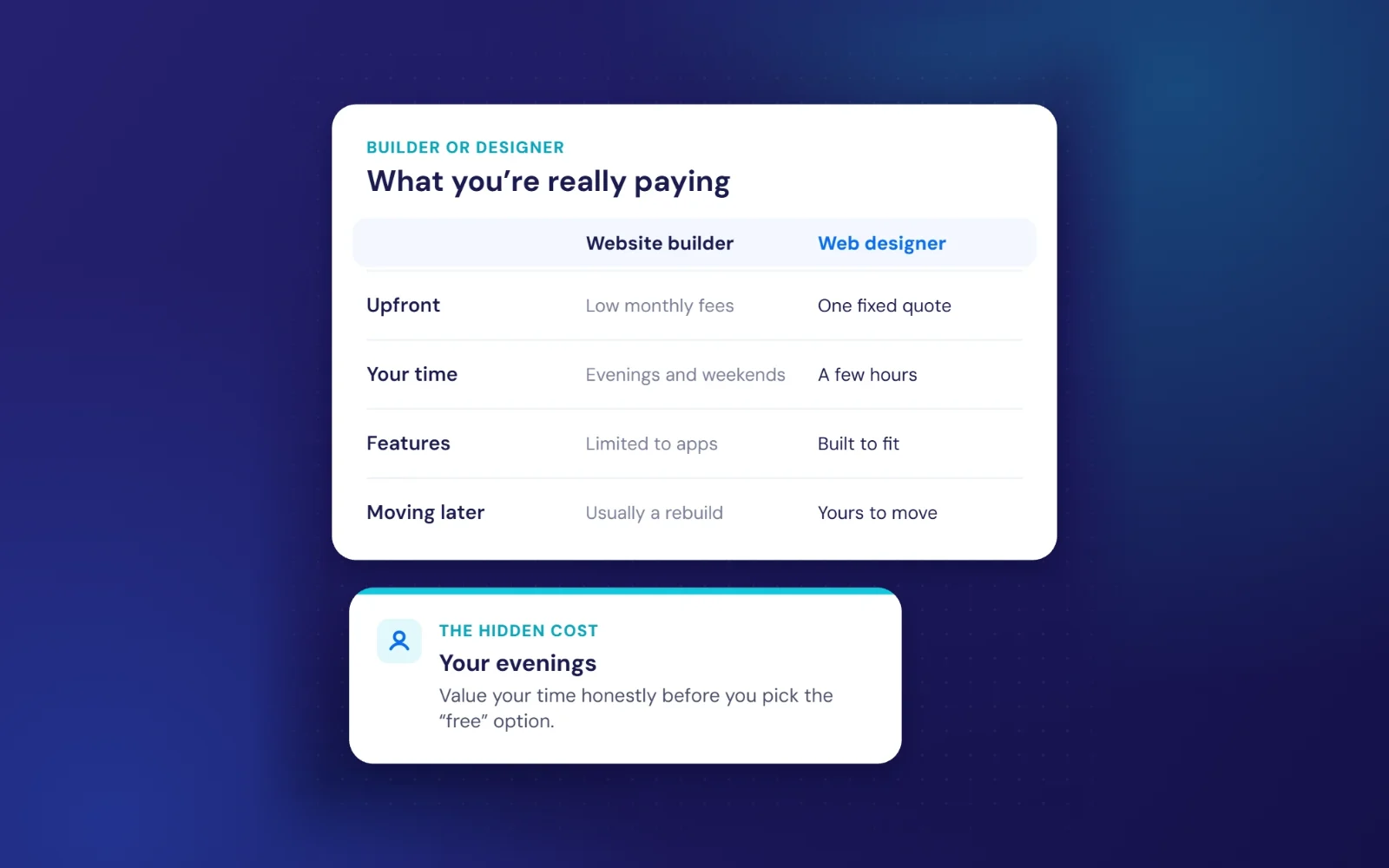
Over the first year, a DIY Wix or Squarespace site is usually cheapest in cash. Over three to five years, the picture changes once you count higher plans, paid apps, your own time and any rebuild if you outgrow the platform. Our guide to how much a website costs in the UK breaks down the full picture.
Which should you choose?
| If you… | Choose |
|---|---|
| Want to build it yourself this weekend, with a small budget | Wix or Squarespace |
| Care most about looks and have a portfolio or product focus | Squarespace |
| Need lots of built-in apps and want to try things yourself | Wix |
| Rely on the website for enquiries and want to grow it over years | WordPress |
| Need custom booking, integrations or a large site | WordPress |
| Want to be able to switch designer or host at any time | WordPress |
What about switching later?
This is the question most people forget to ask. If you start on a builder and outgrow it, moving usually means rebuilding the site and setting up redirects so you don’t lose rankings. That’s perfectly doable, but it’s worth knowing up front. If there’s a good chance you’ll want booking, a shop or lots of service pages within a couple of years, starting on WordPress can save a rebuild.
If your current site is getting traffic but not enquiries, the platform is rarely the cause. Read website visits but no enquiries before you consider switching.
Frequently asked questions
Is Wix or WordPress better for a small business?
Wix is better if you want to build and manage a simple site yourself. WordPress is better if you want ownership, flexibility and full SEO control, and are happy to have a designer set it up.
Is Squarespace good for SEO?
Yes, for most small businesses. It covers the essentials well. You have less fine control than WordPress, but good content and a complete Google Business Profile matter more.
Can I move my Wix site to WordPress?
Not automatically. Wix doesn’t offer a full export, so the site is rebuilt on WordPress and old page addresses are redirected to keep your rankings.
Free first call
Do I need a web designer for WordPress?
Not necessarily, but most small businesses get a better result with help on setup, hosting, speed and security, then manage simple updates themselves.
Want a straight answer for your business? Tell us what the site needs to do and we’ll recommend the right platform, with a fixed price if you want us to build it.
Book a free callNo obligation. A reply within one working day.